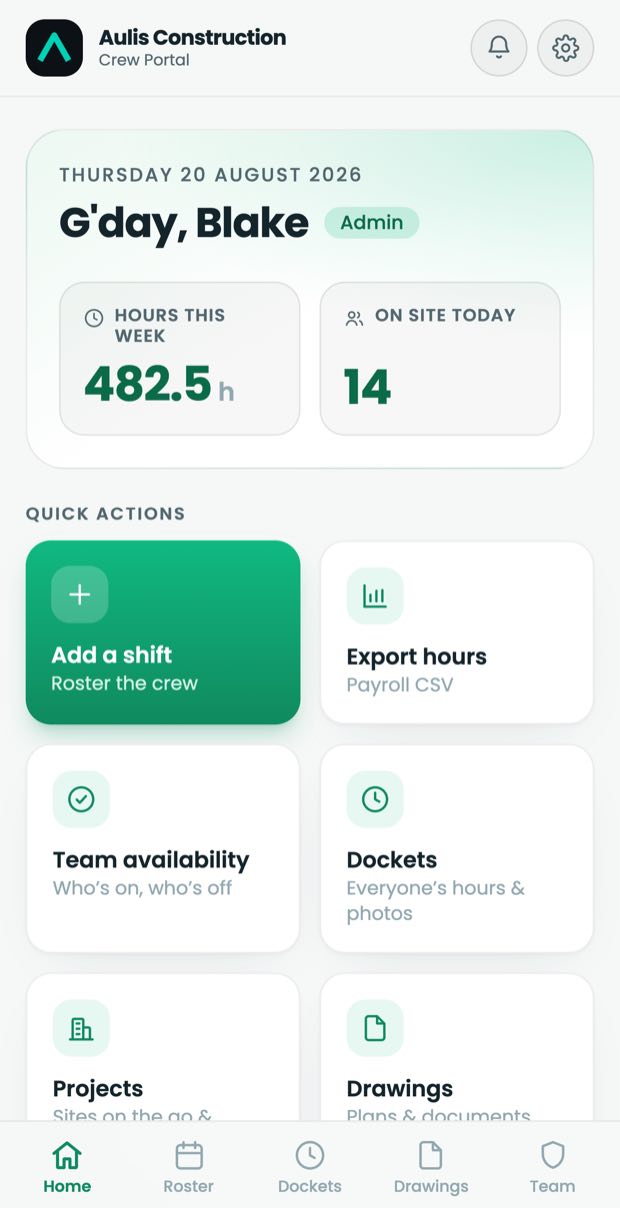
Dockets Roster Hours Drawings

Your crew's own
system of record

Dockets, roster and hours in one place your crew owns, under your own name. Built for formwork, concreting, walling and steel fixing crews.

See it work

The whole job,
in seventy three seconds

A shift rostered, the crew told, the docket signed on site, and the week's hours away to the accounting app. No voiceover to sit through.

What it does

From the shift to
the invoice

One app your crew opens on site and you open in the office. Nothing gets rekeyed, nothing gets lost in the group chat.

Site on the tools

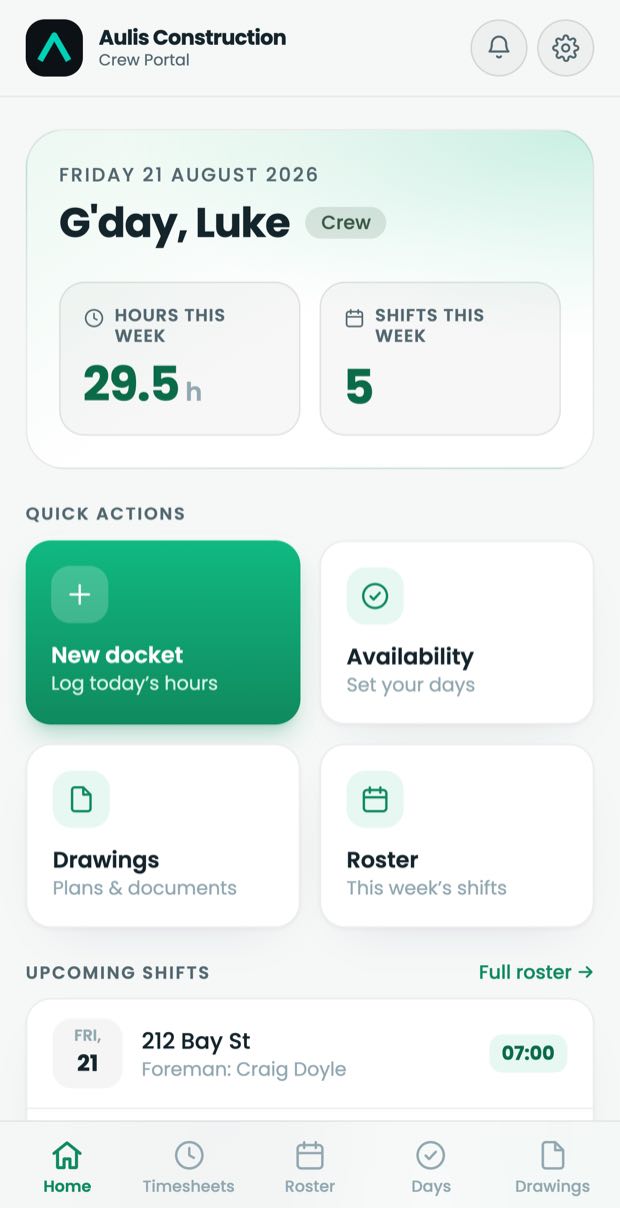
Dockets with photos, a client signature on the phone, and a nudge when one is missing.

DocketsPhotosSign-off

Office run the week

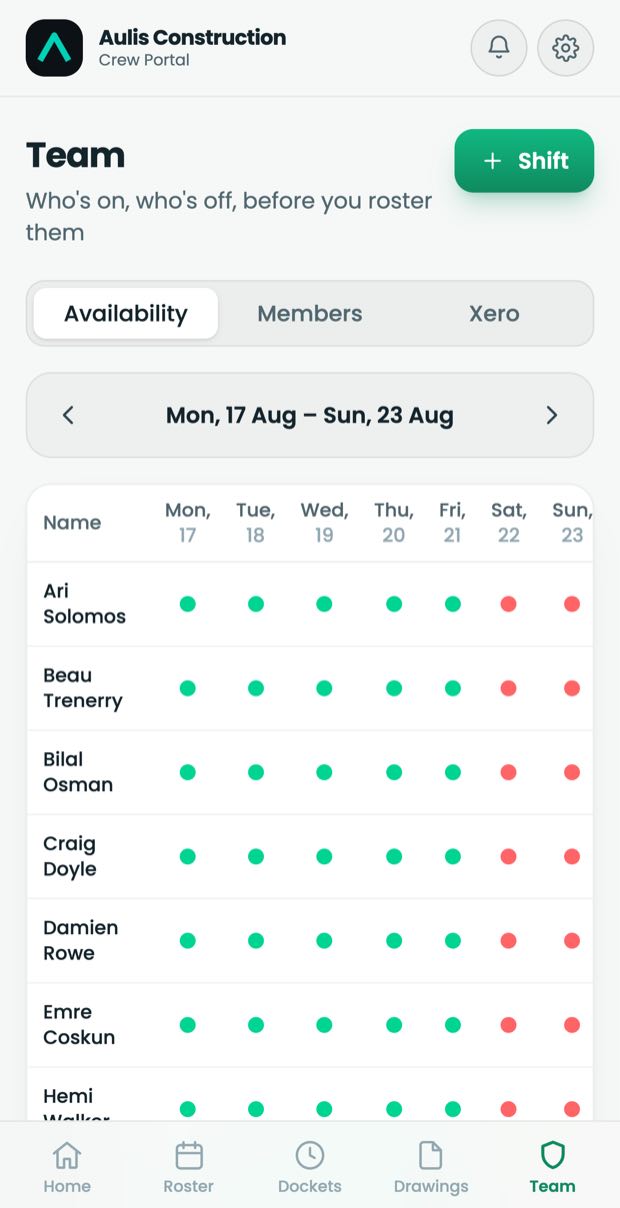
Roster the week, see who is available, and put the drawings where the crew can find them.

RosterAvailabilityDrawings

Pay get it out

Hours land in Xero as draft timesheets. No spreadsheet on a Sunday night.

TimesheetsXeroCSV

Yours not theirs

Your logo, your domain, your data. It travels with you between builders.

Your brandYour domain
The roster screen, showing a week of shifts by crew member
Roster
A docket being filled in on a phone, with photos and a signature
Docket
The availability screen, where crew mark the days they can work
Availability
Portals running for
T.U Steel
T.U SteelSteel fixing
IRL Construction
IRL ConstructionFormwork
Montegar Constructions
MontegarFormwork
D&D Concreting
D&D ConcretingConcreting
Who built this

We run a steel
fixing company

My brother and I run T.U Steel. The portal exists because we needed it. Dockets were going missing on the way back from site, hours were being rebuilt from memory on a Sunday, and the drawings everyone was working off were three revisions old.

So we built the thing we wanted, ran our own crew on it for a year, then started building one for other subbies. Every screen on this page is a screen we use ourselves. When you tell me something on site does not work, I know exactly what you mean, because I was standing there last week.

Batdorj, Aulis

Book a call
Questions

The ones subbies
actually ask

What does it cost?

There is one build fee and then a running cost per portal. The figure depends on crew size and whether you want Xero connected, so I quote it on the call once I know what you actually need. I will give you the number on that first call, not after three meetings.

How long does setup take?

About two weeks from the go-ahead to your crew logging in. Most of that is me loading your people, your projects and your logo. You spend roughly an hour on it in total.

Who owns the data?

You do. It sits in a database belonging to your portal alone, and no other company's data touches it. Ask any time and you get the whole lot as CSV and the photo files as they were uploaded.

What happens if I stop paying?

You get a full export before anything switches off, and the portal stays readable for thirty days after that so nobody is caught short mid job. There is no lock-in period and no exit fee.

Will the crew actually use it?

It installs from a link and opens like an app, with no store, no account signup and no email address needed. A docket takes under a minute. The crews already on it stuck with it because filling in the docket is faster than arguing about one that went missing.

Does it work with no signal on site?

Yes. The portal keeps working underground and in a basement carpark, and everything queued up syncs the moment the phone finds signal again. Photos included.

We already use a builder's system. Why another one?

The builder's system belongs to the builder. When the job finishes, your record of what your crew did finishes with it. This one carries your history with you to the next builder, and to the one after that.

Book a call Book a call Book a call Book a call Book a call Book a call